
Kaiteki TV (KaitekiTV): 50 Channels, Pricing & 7-Day Free Trial
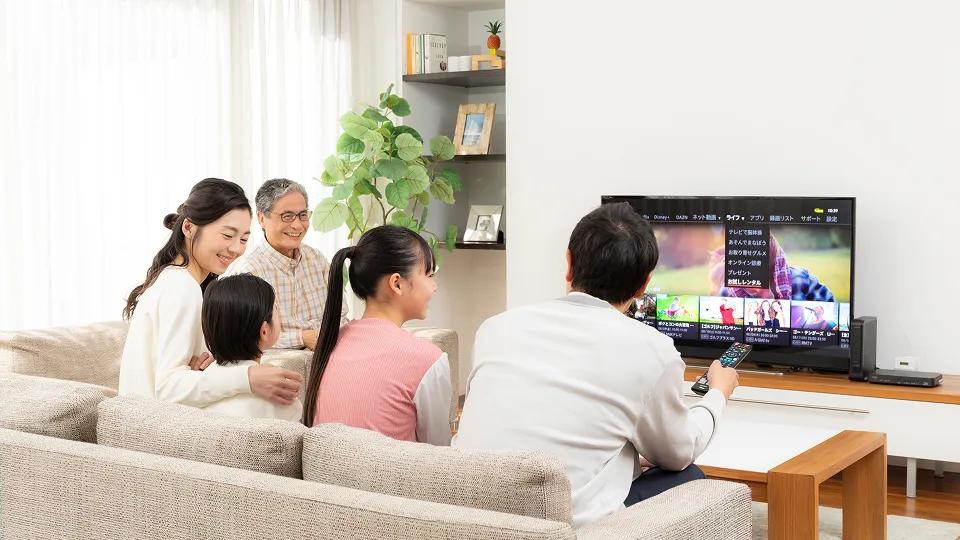
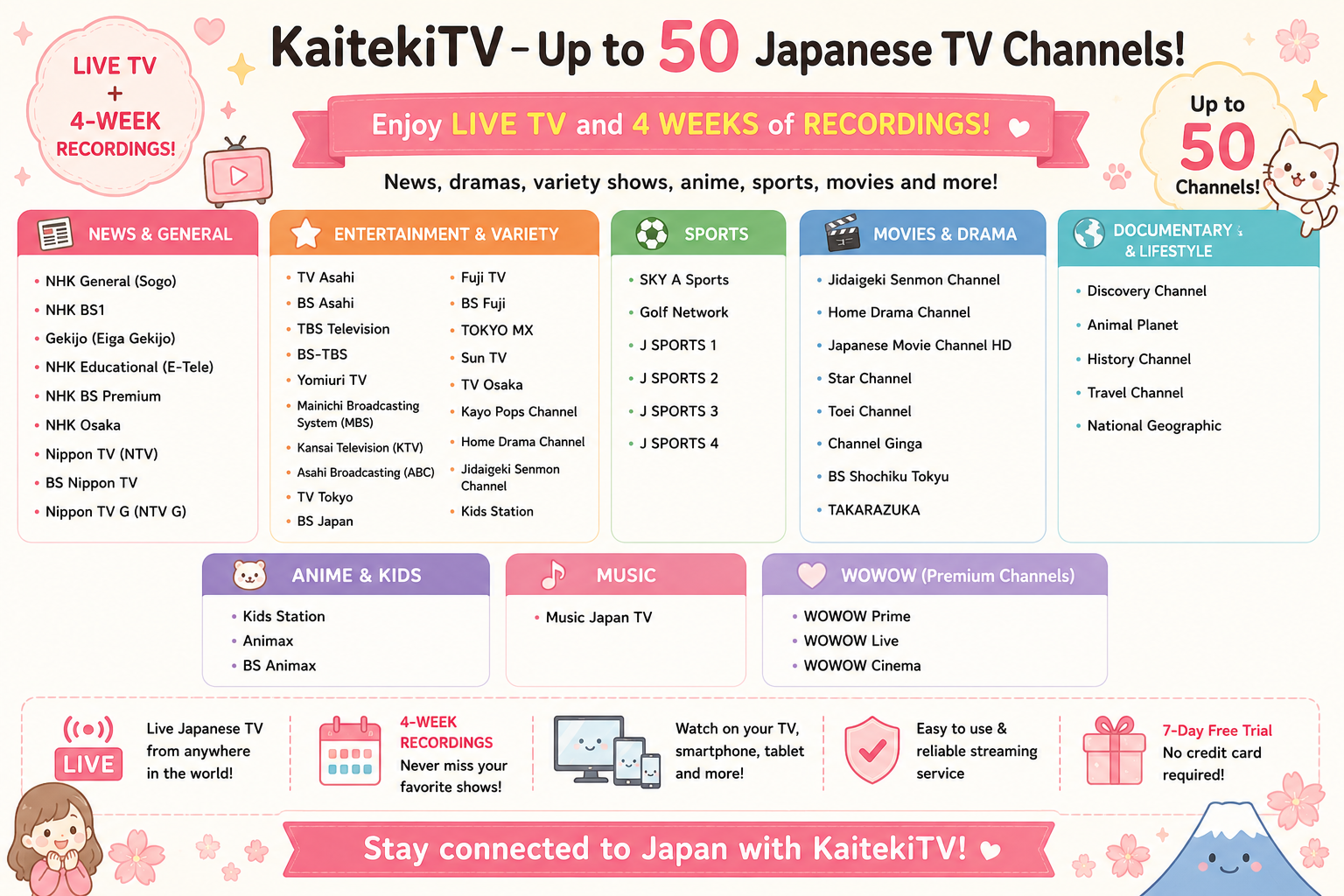
Kaiteki TV, officially branded as KaitekiTV is a Japanese television streaming service designed for viewers living outside Japan. It provides up to 50 Japanese terrestrial, BS and CS channels, four weeks of catch-up viewing, and apps for smartphones, tablets and supported television devices.
Live Japanese TV • 4-week catch-up • iPhone • Android • Fire TV • Google TV
Kaiteki TV at a glance
| Kaiteki TV feature | Details |
| Service | KaitekiTV |
| Channels | Up to 50 Japanese channels |
| TV types | Terrestrial, BS and CS |
| Catch-up | Previous 4 weeks |
| Free trial | 7 days |
| Credit card for trial | Not required |
| Automatic trial billing | No |
| Mobile devices | iPhone, iPad, Android |
| TV devices | Compatible Fire TV / Google TV / Chromecast |
| VPN required | No |
| Availability | Intended for viewers outside Japan |
7-DAY FREE TRIAL
No credit card required. No automatic billing.
Don’t read Japanese?
Follow our easy English guide to complete the Japanese registration form.
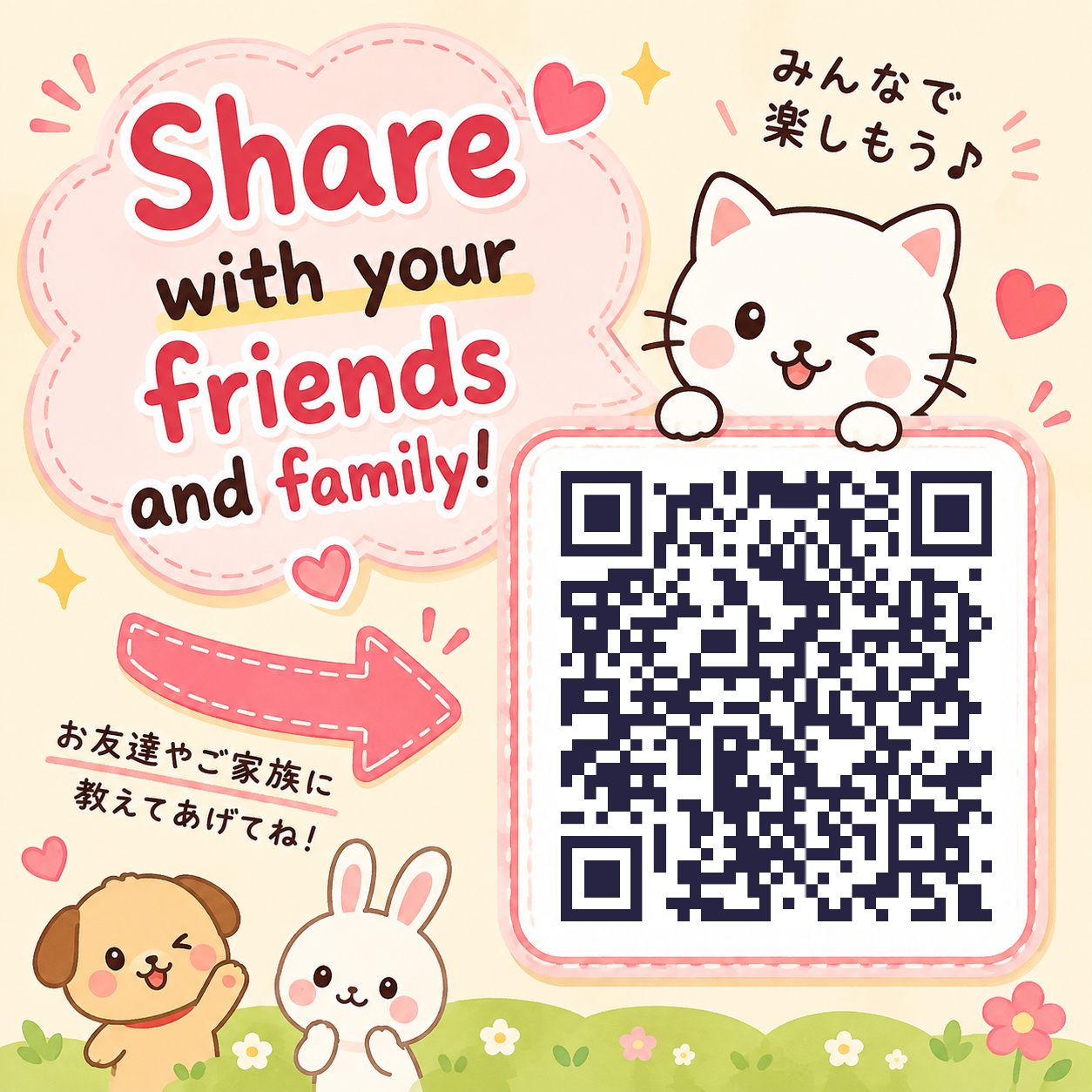
Scan to try KaitekiTV free
UP TO 50 CHANNELS
4 WEEKS
7 DAYS FREE
Japanese terrestrial, BC & CS television
Watch programs you missed
No credit card required
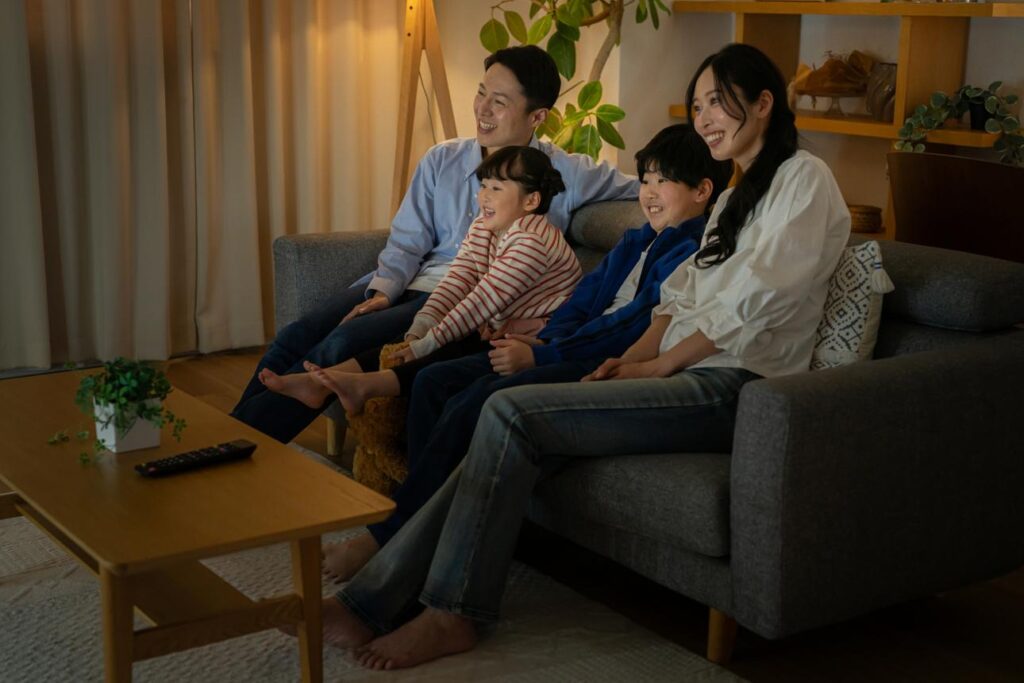
Feel closer to Japan.
Even when you’re thousands of miles away.
Watch the news you grew up with.
Enjoy Japanese dramas and variety shows.
Watch sports in Japanese.
Let your children experience Japanese television.
Watch Japanese TV Your Way
On Your Phone
On your TV
Take it With You
iPhone • iPad • Android
Fire TV Stick • Google TV • Chromecast
Travel • Business trips • Vacation
Perfect for travel, commuting and watching anywhere.
Turn your living room TV into your Japanese TV.
Watch Japanese television wherever you have a compatible TV and internet connection.
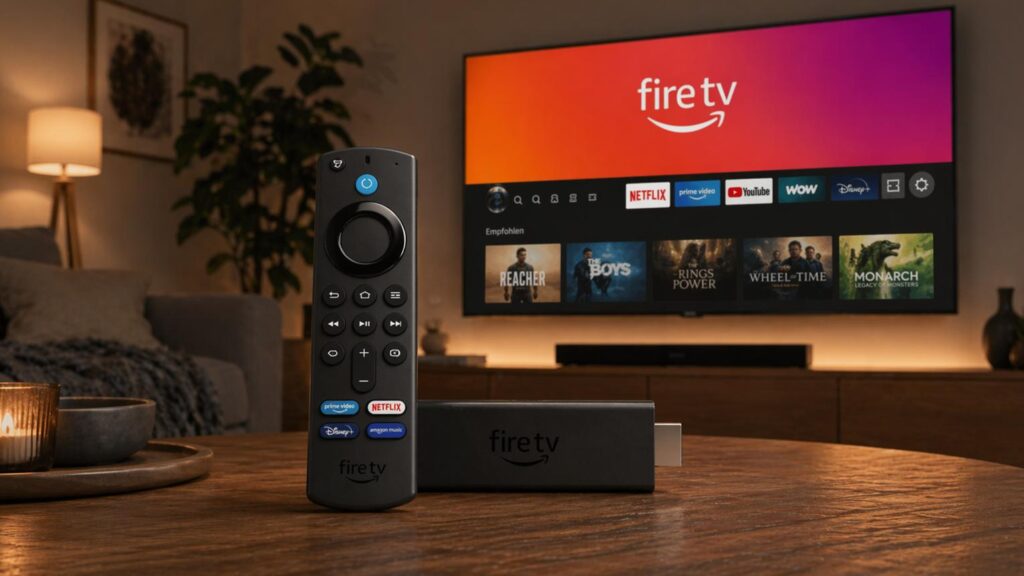
Want Japanese TV on Your Big Screen?
Add a compatible Fire TV Stick.
Perfect for:
✓ Living rooms
✓ Bedrooms
✓ Vacation homes
✓ Hotels
✓ Business trips
⚠️ Important: KaitekiTV currently supports Fire TV Stick 4K Plus and Fire TV Stick 4K Max. The Fire TV Stick 4K Select and 2026 Fire TV Stick HD are not compatible.
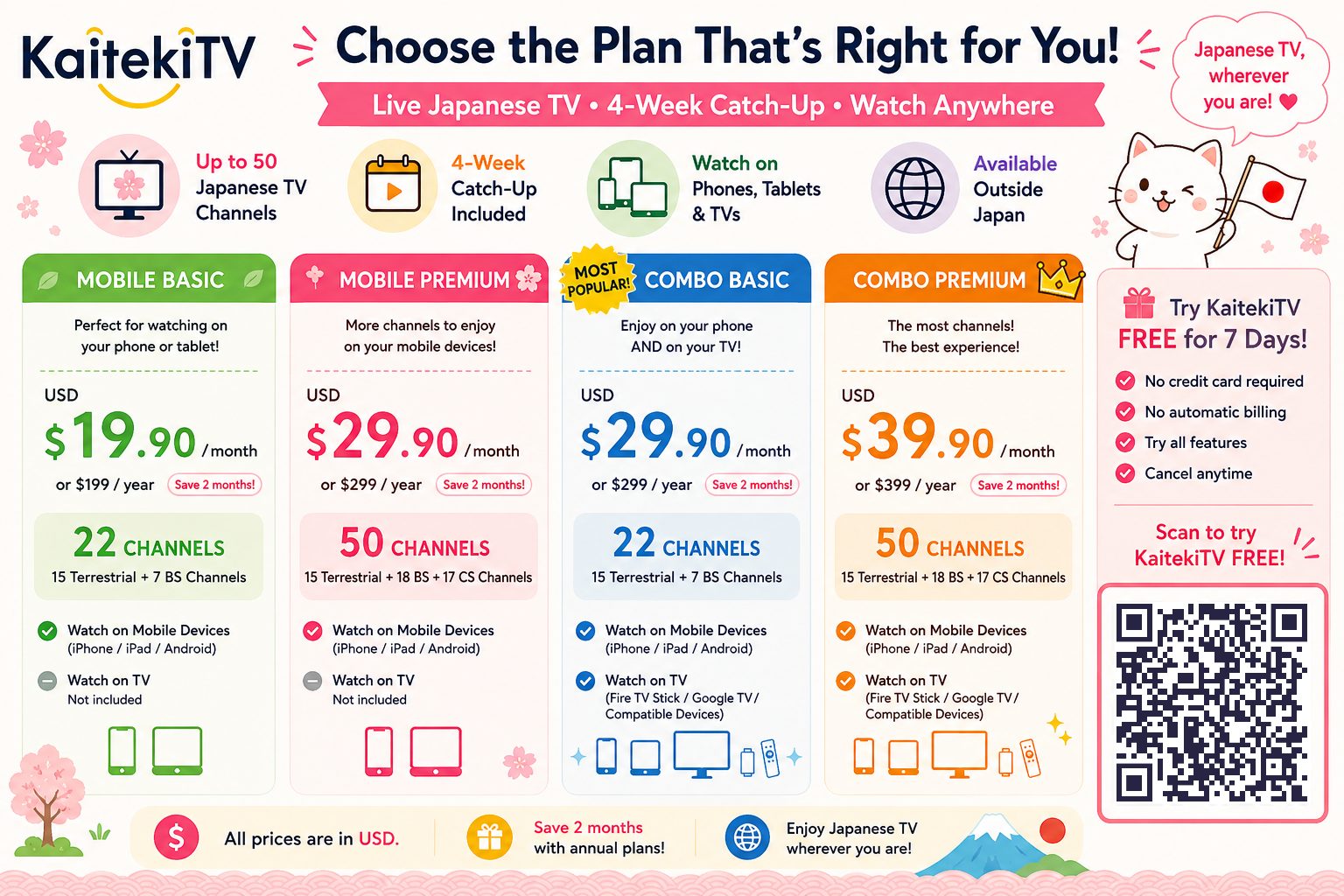
KaitekiTV Subscription, Payment & Support Guide
Already tried KaitekiTV and want to continue watching? Below you’ll find simple instructions for purchasing and renewing your KaitekiTV plan, along with answers to common payment and subscription questions.
How to Pay: Mobile Plan
If you have a Mobile-only KaitekiTV account, you must purchase your plan from ‘My Page’ inside the KaitekiTV mobile app.
How to purchase:
1) Open the KaitekiTV app on your smartphone or tablet.
2) Tap Menu in the bottom-left corner.
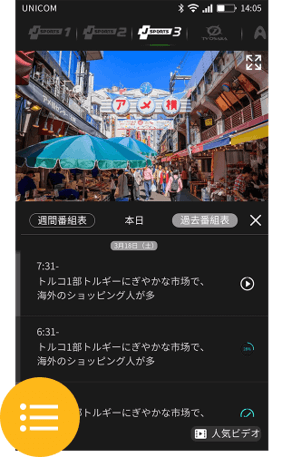
3) Select My Page (マイページ).
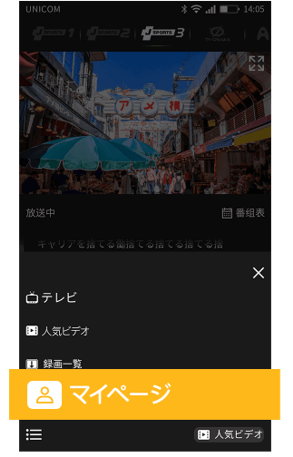
4) Tap Purchase (購入).
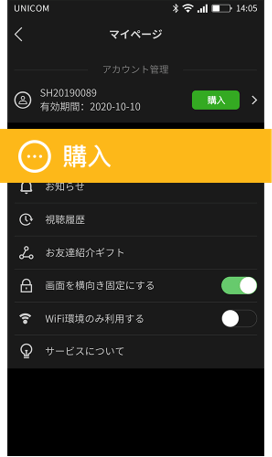
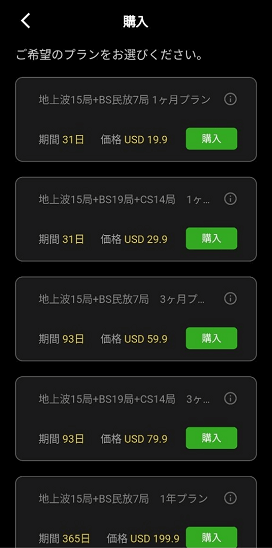
5) Select your preferred plan.
6) Enter your credit card information.
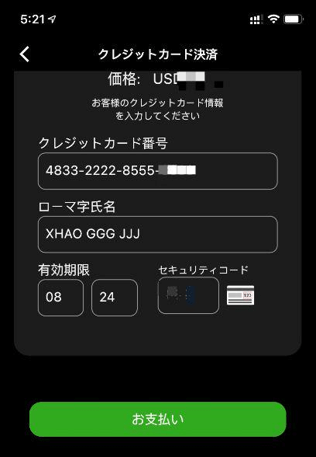
7) Tap Pay (お支払い).
When the payment-success message appears, your purchase is complete.
Important: Mobile-only accounts should make their payment through My Page in the mobile app.
How to Pay: Mobile + TV Plan
If you have a Mobile + TV account, payment is started from the KaitekiTV app on your TV and completed using your smartphone.
This applies when using KaitekiTV with devices such as Fire TV Stick, Chromecast, or a compatible TV dongle.
How to purchase:
1) Open KaitekiTV on your TV.
2) Press the right arrow (→) on your remote.
3) Select My Page (マイページ).
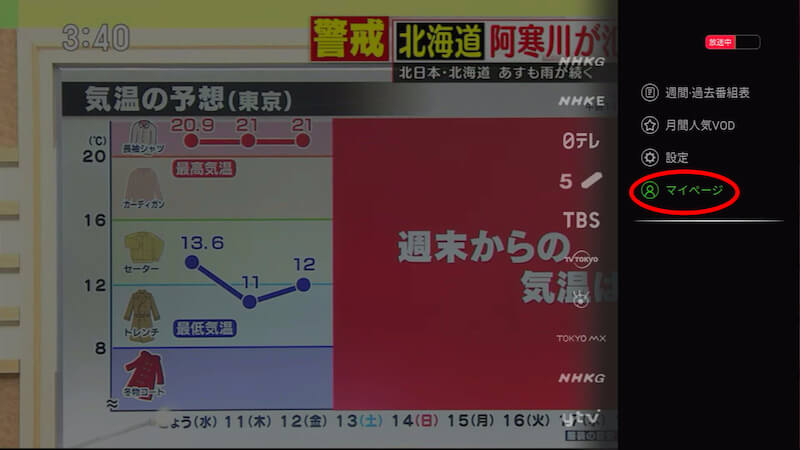
4) Select Purchase Plan (プラン購入).
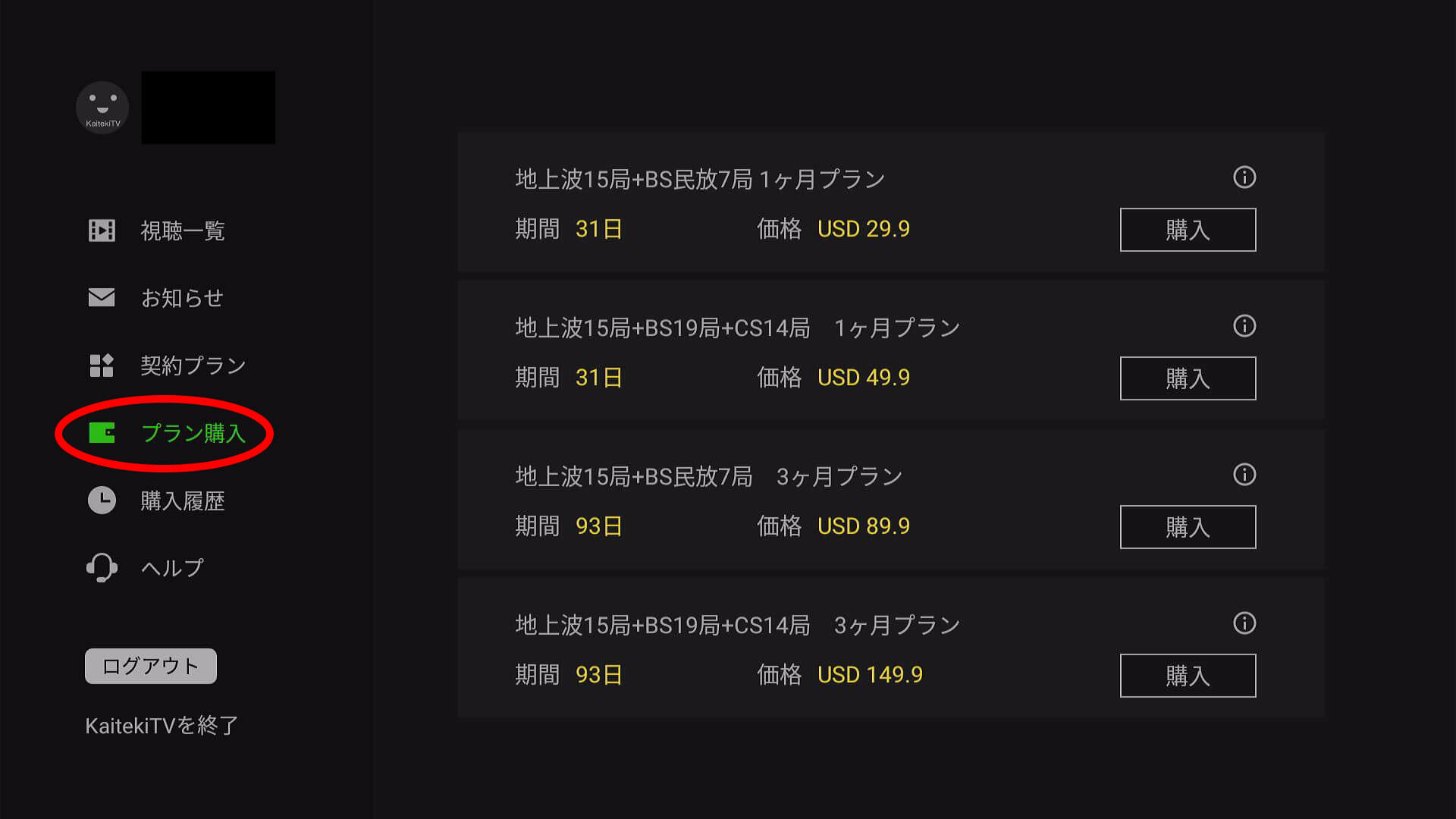
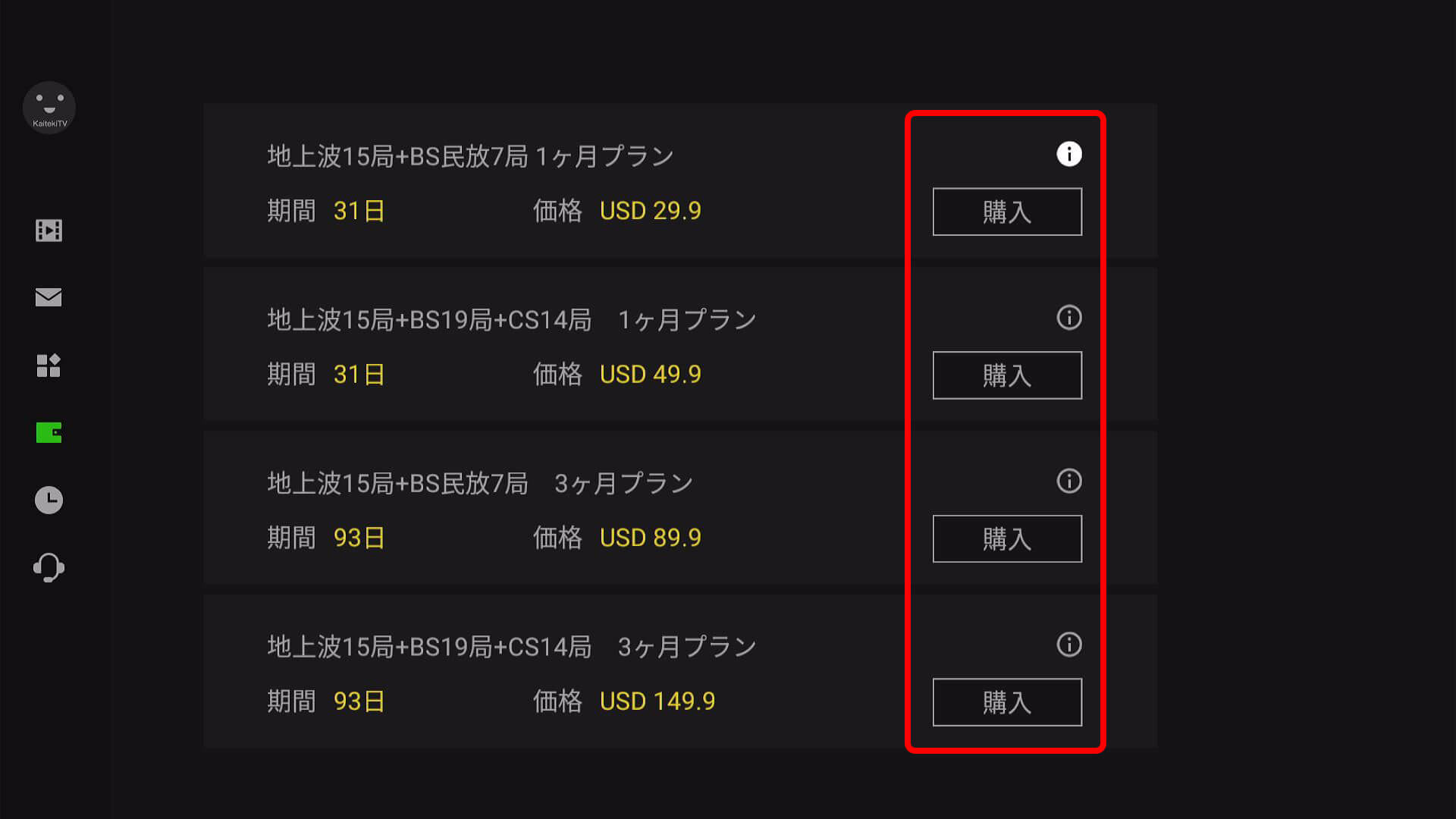
5) Choose the plan you want (Click on 購入).
6) A QR code will appear on your TV.
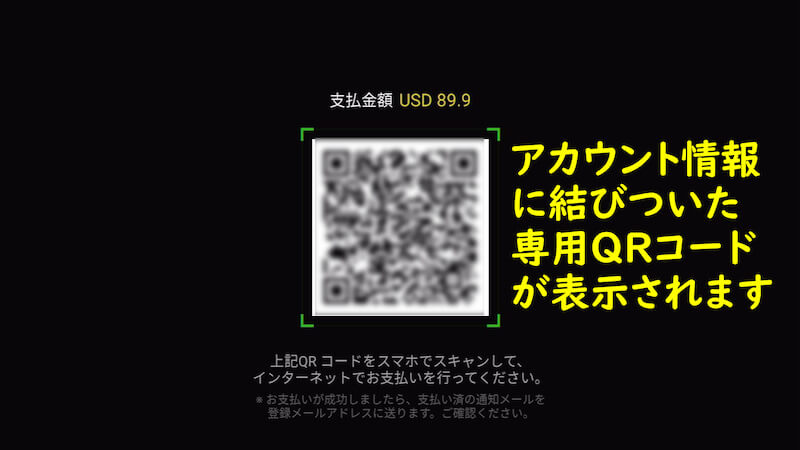
7) Scan the QR code with your smartphone’s camera.
8) The KaitekiTV payment page will open on your phone.
9) Confirm that the plan and price are correct.
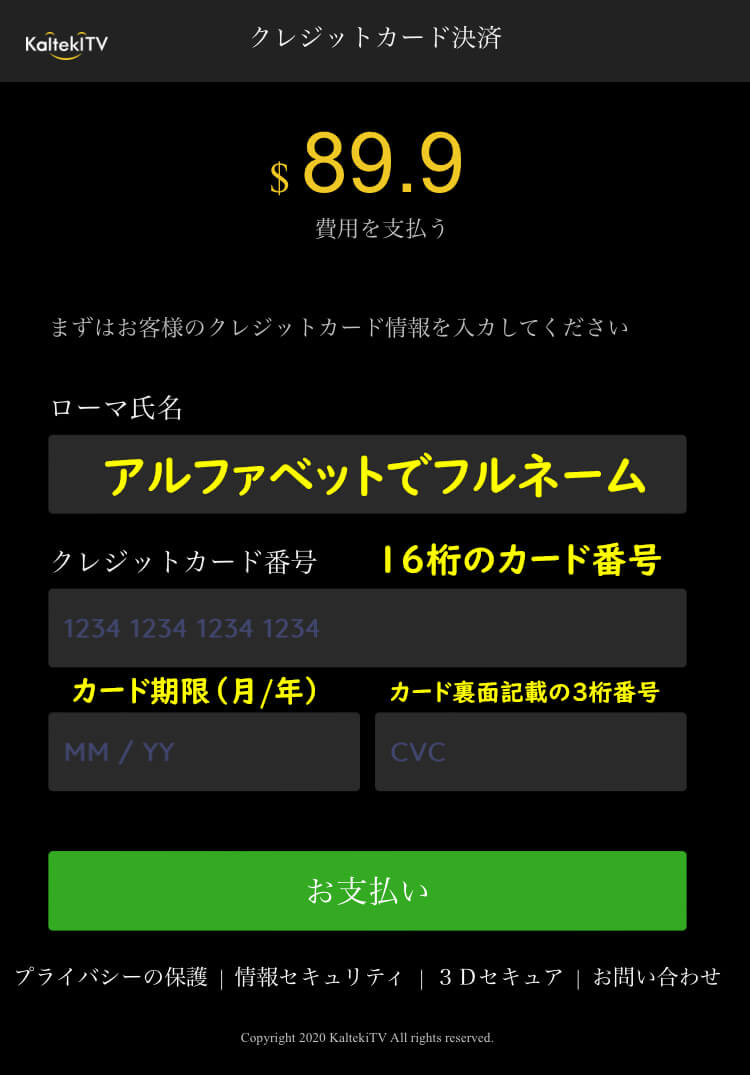
10) Enter your credit card information and complete the payment. Under ローマ氏名, enter your name in English. Under クレジットカード番号, enter your credit card number. Under カード期限(月/年), enter the card expiry date. Under カード裏面記載の3桁番号, enter the card CVC number. When all information is entered, click on 購入.
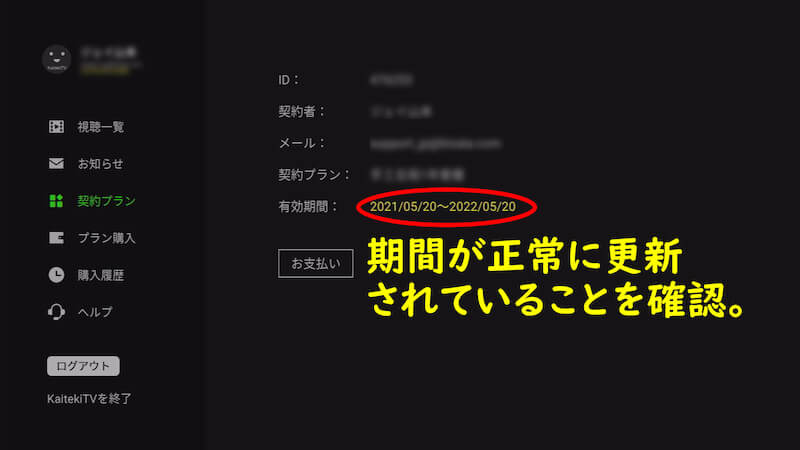
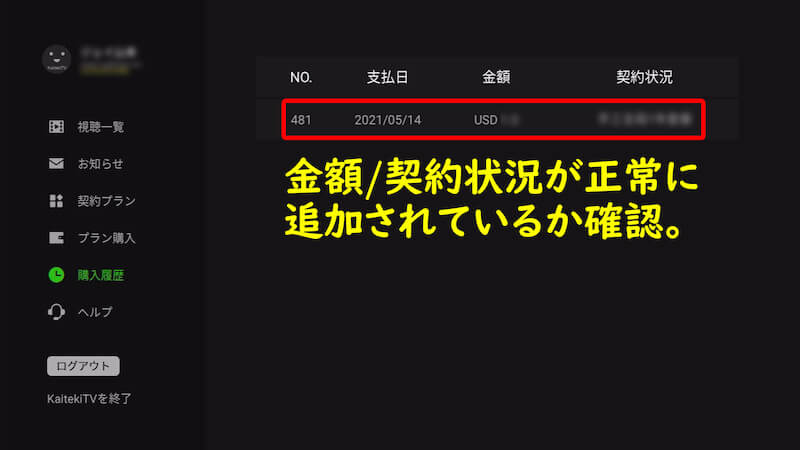
After payment, return to My Page → Contract Plan on your TV and confirm that your subscription period has been updated.
Tip: You do not need a special QR-code app. Your smartphone’s standard camera can scan the QR code.
It may take a short time for your new subscription information to appear on your TV.
How to Renew Your KaitekiTV Subscription
KaitekiTV subscriptions do not renew automatically. When your current plan expires, you must purchase another subscription period if you want to continue watching.
Mobile Plan
Open the KaitekiTV mobile app and go to:
My Page → Purchase → Select Plan & Period → Pay by Credit Card
Mobile + TV Plan
You can renew by scanning the QR code displayed in My Page on your TV and completing the payment on your smartphone.
You can also use KaitekiTV’s online renewal page by entering your registered email address or Kaiteki ID, selecting your plan and subscription period, and paying by credit card.
Will KaitekiTV Automatically Charge Me After the Free Trial?
No.
KaitekiTV does not automatically renew your service.
If your 7-day free trial ends and you do not purchase a plan, you will not be charged. Your access will simply end.
The same applies to paid plans. When your subscription period expires, KaitekiTV will not automatically charge your credit card.
If you want to continue watching, simply purchase another subscription period.
Do I Need to Cancel KaitekiTV? Will my subscription auto renew?
No cancellation procedure is required.
Because KaitekiTV does not automatically renew subscriptions, simply allow your current subscription to expire.
Once the expiration date is reached, your viewing access will end automatically.
This also applies to the 7-day free trial. If you don’t purchase a plan, you won’t be charged.
Can I Change or Upgrade My KaitekiTV Plan?
Yes, certain upgrades are possible during your current subscription.
You can upgrade:
Basic → Premium
or
Basic → Premium
or
Mobile → Mobile + TV
You will need to pay the difference in price. Contact KaitekiTV Support and provide:
- Your Kaiteki ID
- Your current plan
- The plan you want to upgrade to
KaitekiTV will provide instructions for paying the difference.
Downgrades cannot currently be made during an active subscription. For example:
Premium → Basic
or
Mobile + TV → Mobile
Instead, wait until your current subscription expires and select your preferred plan when you renew.
KaitekiTV QR Code or Payment Not Working?
If you’re paying through your TV, scanning the QR code should open the KaitekiTV payment page on your smartphone.
If the payment page does not work after scanning the QR code, contact KaitekiTV Support. They can provide you with a payment URL.
If you successfully make a payment but don’t immediately see your updated subscription on the TV, wait a short time and check again. There can sometimes be a delay before the new subscription information appears.
I Didn't Receive My KaitekiTV Registration Email
First, check your Spam or Junk Mail folder. Registration emails can sometimes be automatically filtered there.
Your KaitekiTV registration is not complete until you open the temporary registration email and click the registration link.
If you still cannot find the email, contact KaitekiTV Support using the same email address you used when registering.
KaitekiTV Video Is Buffering or Not Playing Smoothly
If KaitekiTV video is buffering or not playing smoothly, try changing the streaming method between HLS and P2P in the KaitekiTV settings.
For viewers in North America, KaitekiTV recommends HLS because P2P may have some restrictions.
For viewers in Singapore, KaitekiTV recommends P2P, as HLS may experience additional delay.
What Information Should I Give KaitekiTV Support?
Providing detailed information can help KaitekiTV resolve your problem faster.
When contacting support, include:
- Your Kaiteki ID or registered email address
- Your current city
- The device you’re using, such as Fire TV Stick, iPhone, or Google TV
- Your device’s OS version
- Your KaitekiTV app version
- A description of the problem
- When the problem started
- Any error messages you’re seeing
- Troubleshooting steps you’ve already tried
Because KaitekiTV operates internationally, support replies may occasionally be delayed by a day due to holidays or time-zone differences.
What Company Name Appears on My KaitekiTV Payment?
KaitekiTV states that its payment recipient is:
JUSTCOM PTE. LTD.
If you see JUSTCOM PTE. LTD. associated with your KaitekiTV payment, this is the payment recipient identified by KaitekiTV.